Welcome To TPower Platform! Tpower is the first and first online comprehensive entertainment platform in Malaysia. Founded in 2018, it is a professional gaming and entertainment company in Malaysia.
Welcome To TPower Platform! Tpower is the first and first online comprehensive entertainment platform in Malaysia. Founded in 2018, it is a professional gaming and entertainment company in Malaysia.
TPower Tutorial Guide
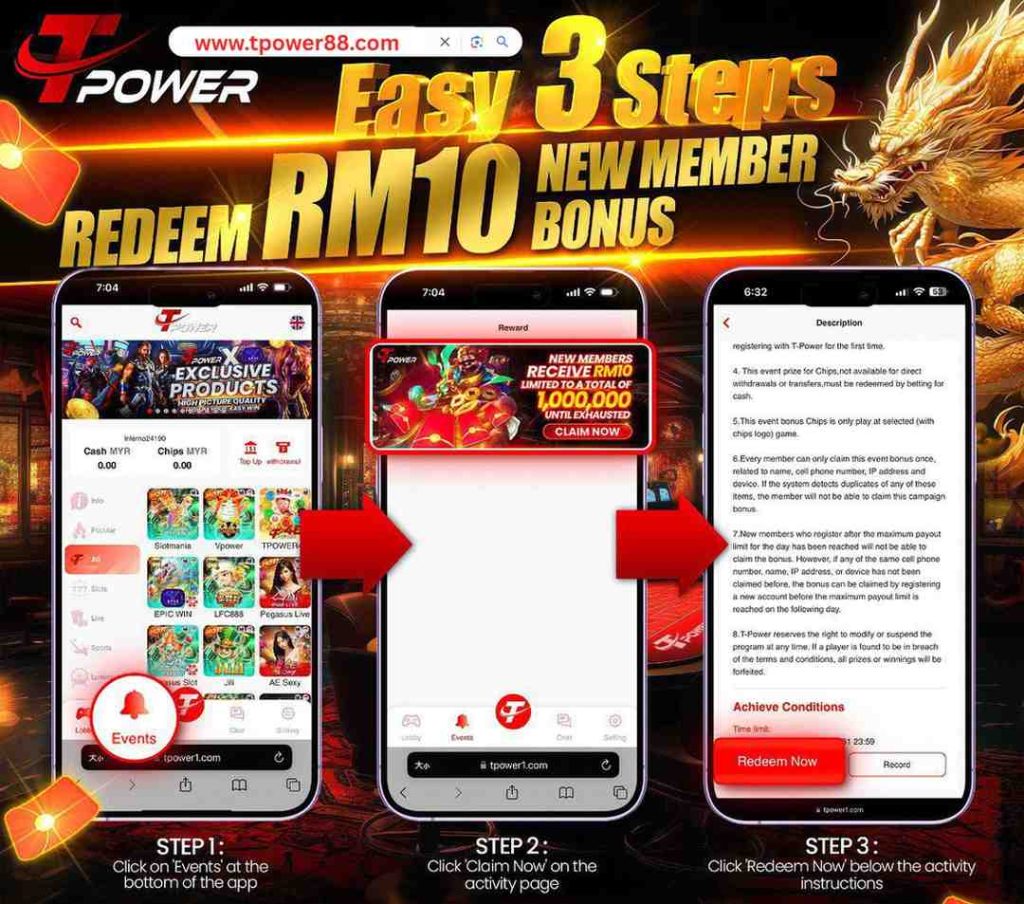
Simple 3-Step Process to Claim Your RM10 New User Bonus
Step 1 Select the ‘Events’ option located at the bottom section of your application.
Step 2 Proceed to the activity page and tap the ‘Claim Now’ button.
Step 3 Finalize the process by clicking ‘Redeem Now’ below the displayed activity guidelines.
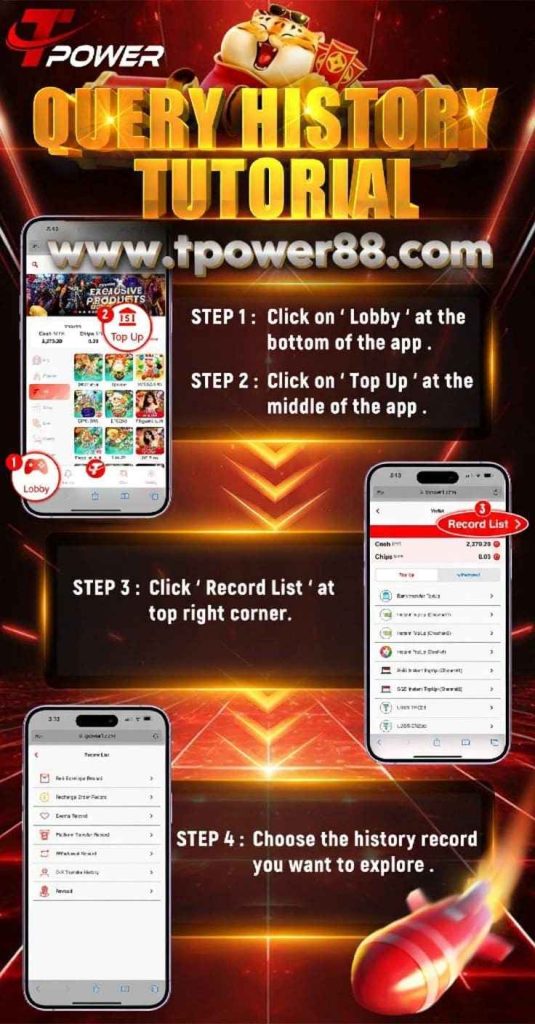
Tutorial for Reviewing Account History
Step 1 Select the ‘Lobby’ icon located on the lower edge of the application screen.
Step 2 Navigate to and click the ‘Top Up’ section situated centrally within the app.
Step 3 Proceed to the upper-right corner and tap on the ‘Record List’.
Step 4 Select the specific historical record details you wish to view.